Imperial44 – Wireless Edition
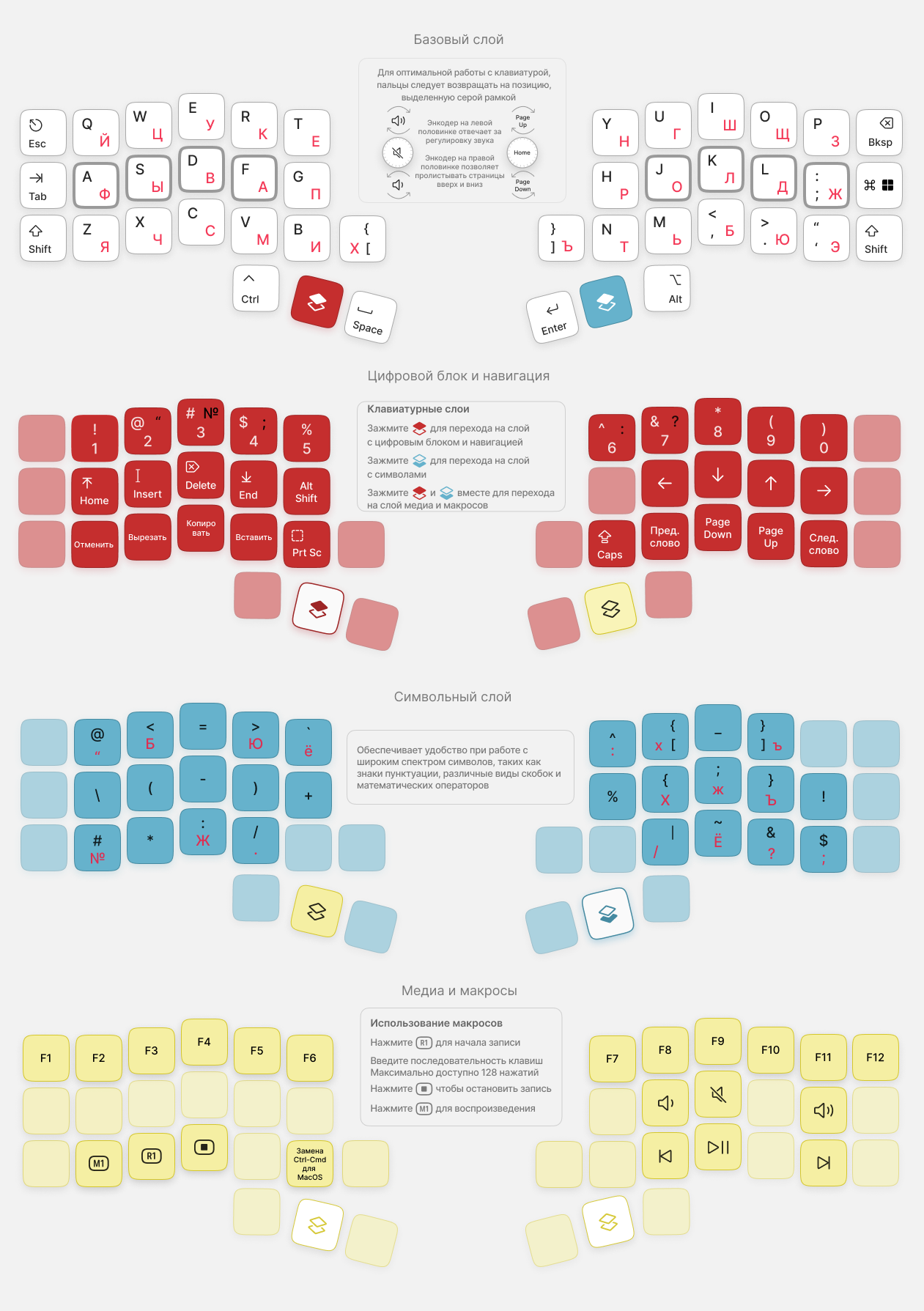
Imperial44 Wireless Edition is a wireless, programmable mechanical split keyboard with a hot-swap system for quick replacement of MX-compatible switches and the option to install one hot-swap encoder on each half.
Keyboard hardware
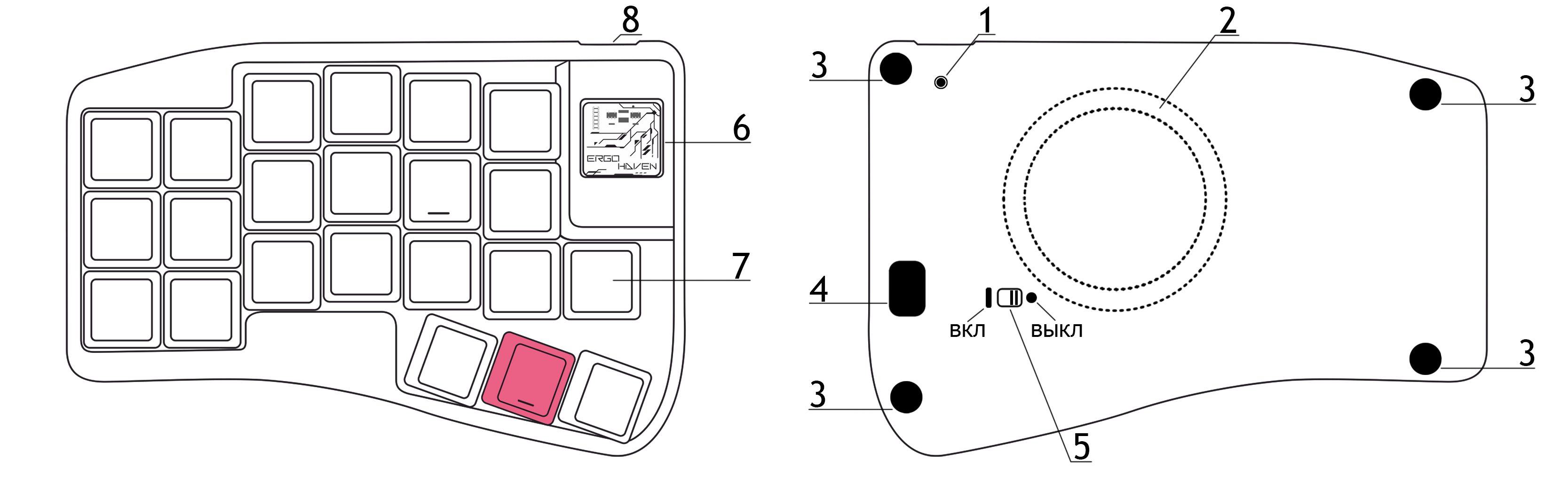
- RESET button
- Integrated MagSafe ring for WPC
- Silicone feet
- Service cutout/window for disassembling the keyboard case
- Keyboard power switch
- Transparent panel
- Slot for installing an MX switch or a hot-swap encoder
- USB‑C port
First connection
- The Imperial44 – Wireless Edition keyboard works with devices running Windows, macOS, Linux, Android, and iOS.
- The keyboard connects via Plug and Play (PnP); no additional driver installation is required.
- The keyboard ships ready to connect to your device with the firmware version current at the time of purchase.
Direct connection (without Ergohaven’s Qube)
- Turn on power on the left and right halves of the keyboard — the halves are already synchronized with each other.
- Select a connection profile on the keyboard — if you’re connecting to only one device for the first time, you can skip this step.
- Connect the keyboard to your device — enable Bluetooth on the device, then complete pairing in the device settings.
Connection via Ergohaven’s Qube
Ergohaven’s Qube is a universal dongle for Ergohaven wireless keyboards that displays useful information and reduces the keyboard’s power consumption.
- Connect Ergohaven’s Qube to your computer using a USB Type‑C cable and wait for Qube to boot.
- Turn on power on the left half of the keyboard — it will connect to Qube automatically.
- Turn on power on the right half — it will also connect to Qube, completing the setup.
Keyboard configuration
Please refer to the article Keyboard configuration in ZMK keymap-editor.
RuEn mode
Please refer to the article RuEn layout for wireless keyboards.
Firmware update
Firmware files and update instructions are available here