Macropad
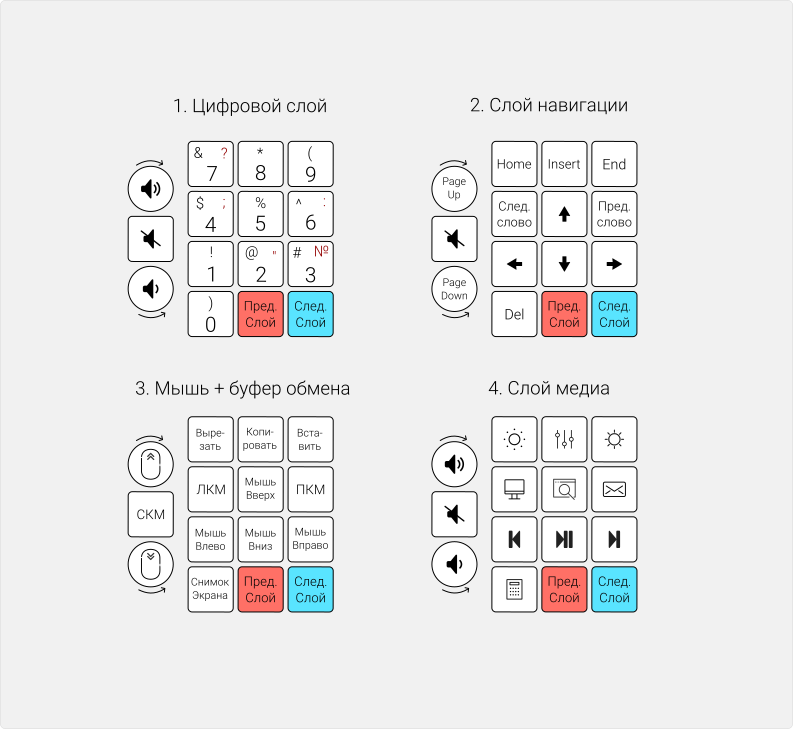
Macropad is a wired, programmable mechanical macropad with an encoder and a hot-swap system for quick replacement of MX-compatible switches.
Macropad hardware
Macropad v3
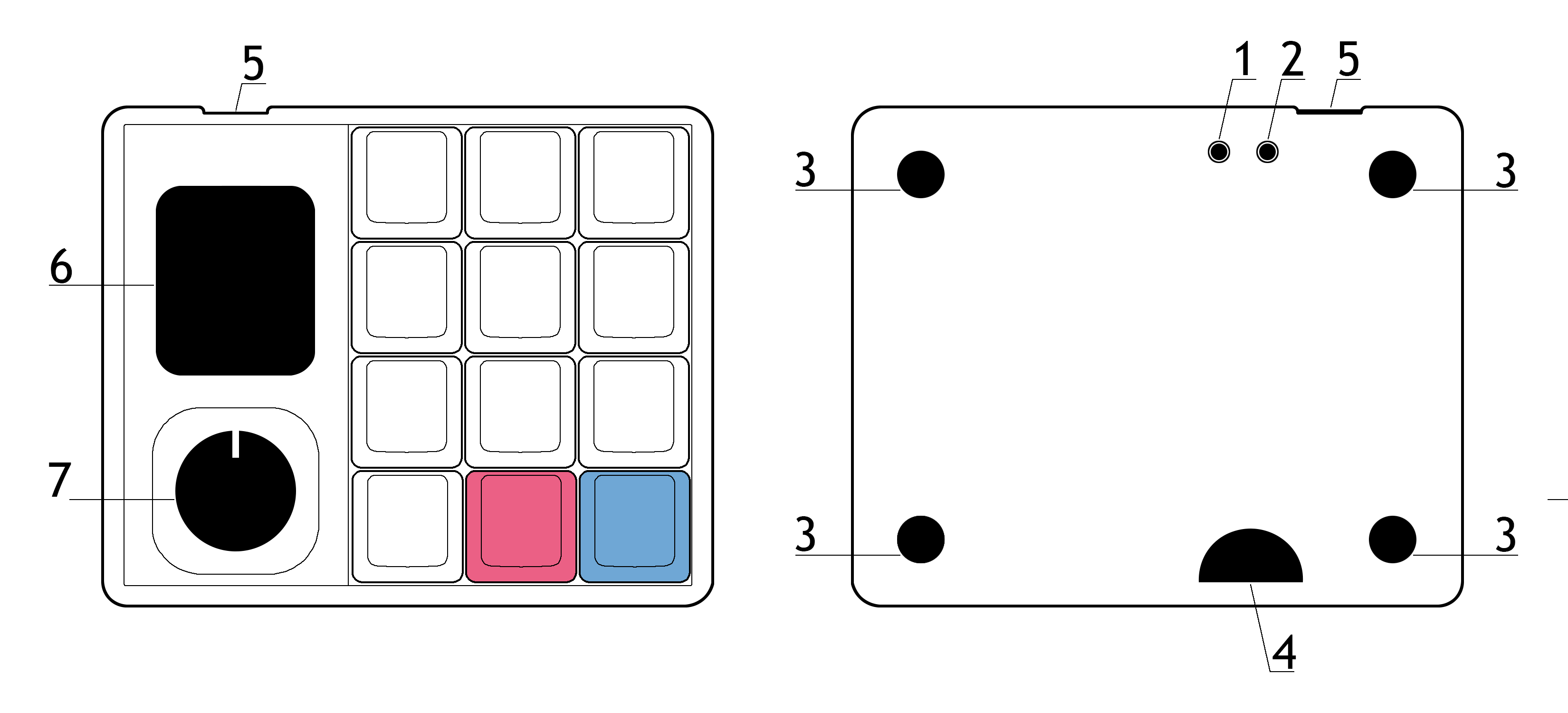
- RESET button
- BOOT button
- Silicone feet
- Service cutout/window for disassembling the macropad case
- USB‑C port
- 240×280 IPS display
- Encoder
Macropad v2
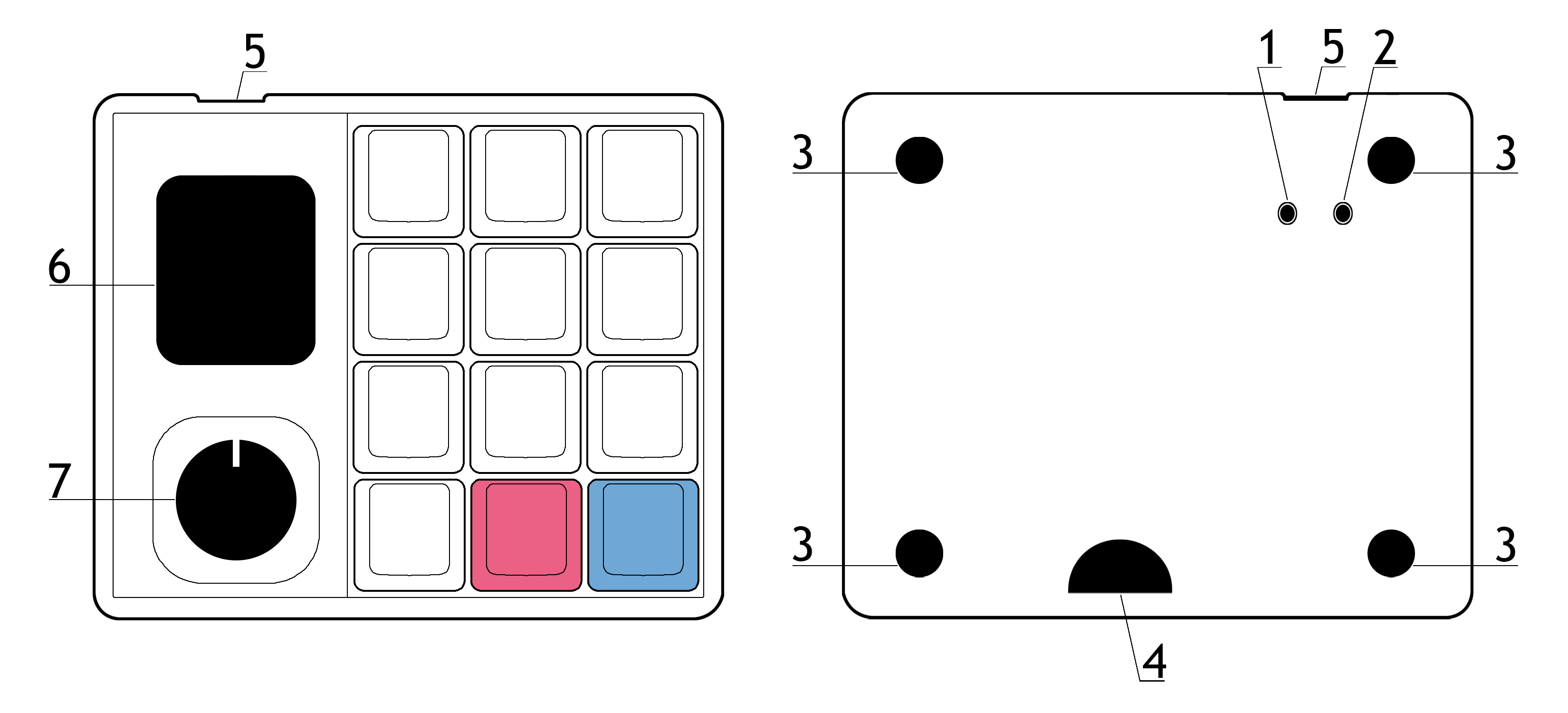
- BOOT button
- RESET button
- Silicone feet
- Service cutout/window for disassembling the macropad case
- USB‑C port
- 240×280 IPS display
- Encoder
Connection
- The macropad works with devices running Windows, macOS, Linux, Android, and iOS.
- The macropad connects via Plug and Play (PnP); no additional driver installation is required.
- When connecting to a device, make sure the USB‑C cable is firmly inserted into the macropad’s port.
Macropad setup
Use Entropy to configure Macropad. Connect the macropad to your computer via USB and launch the application
Entropy writes changes to the device automatically — there is no separate save button
Configure keys and layers
Open the Layout tab and click the key whose assignment you want to change
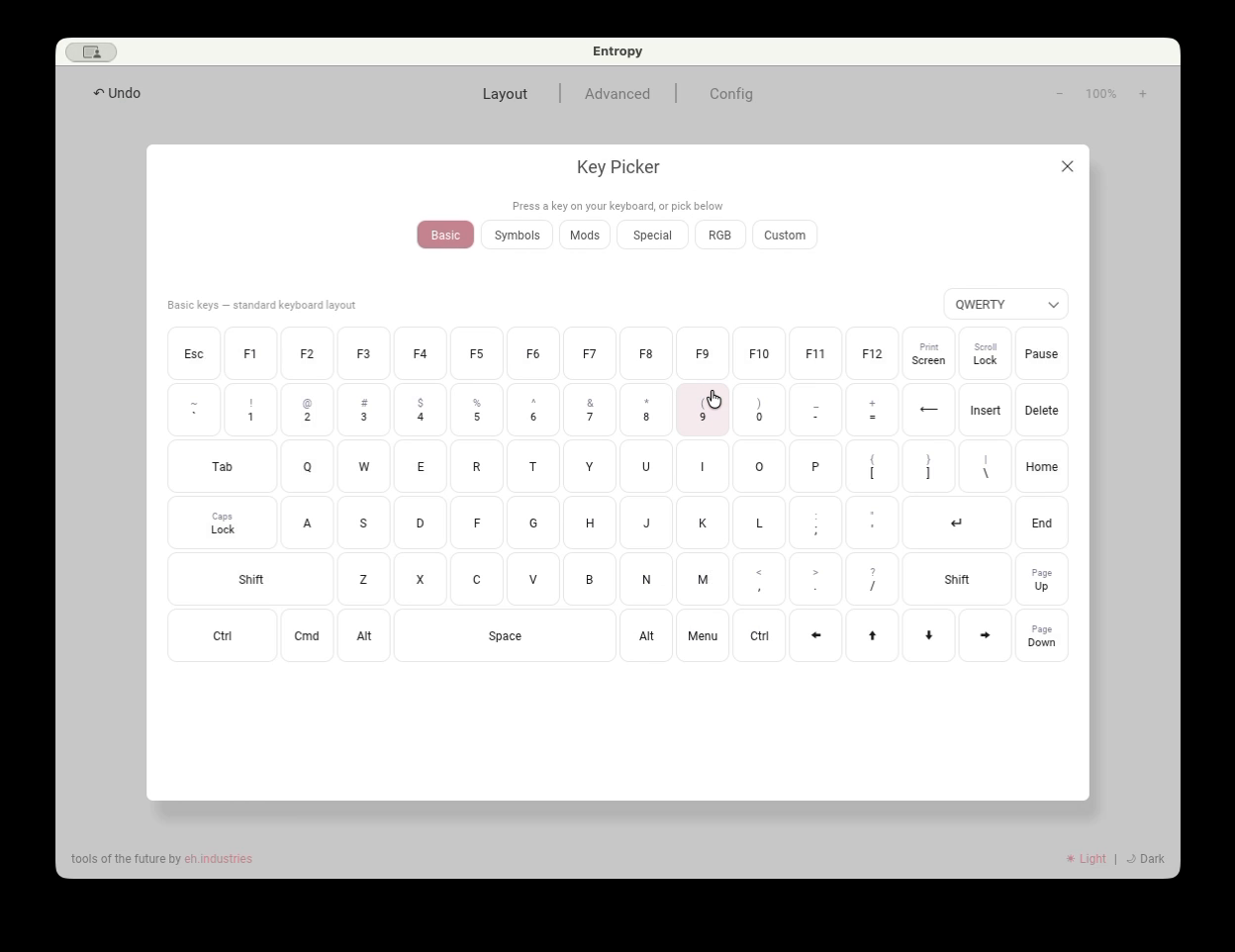
- Basic, Symbols, Mods, Special, RGB, and Custom — categories of available actions
- QWERTY — the virtual keyboard arrangement shown in the picker; it does not change the operating-system input layout
- Keys in the main area — the new action for the selected macropad key
Use the arrows beside the layer name to switch layers
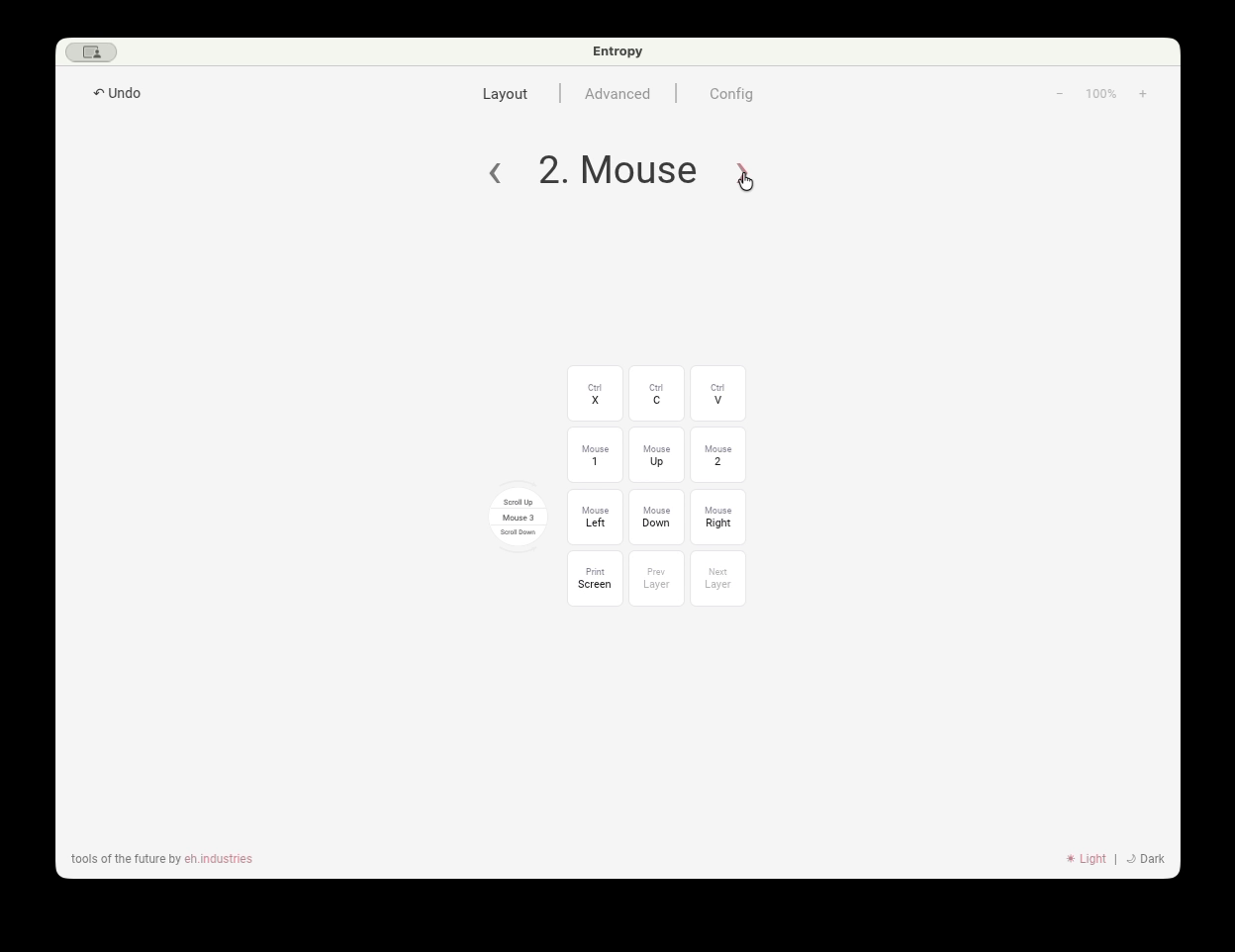
- Layer number and name — the layer currently being edited
- Left and right arrows — switch to the previous or next layer
- Keys on the layout — assignments that apply only to the selected layer
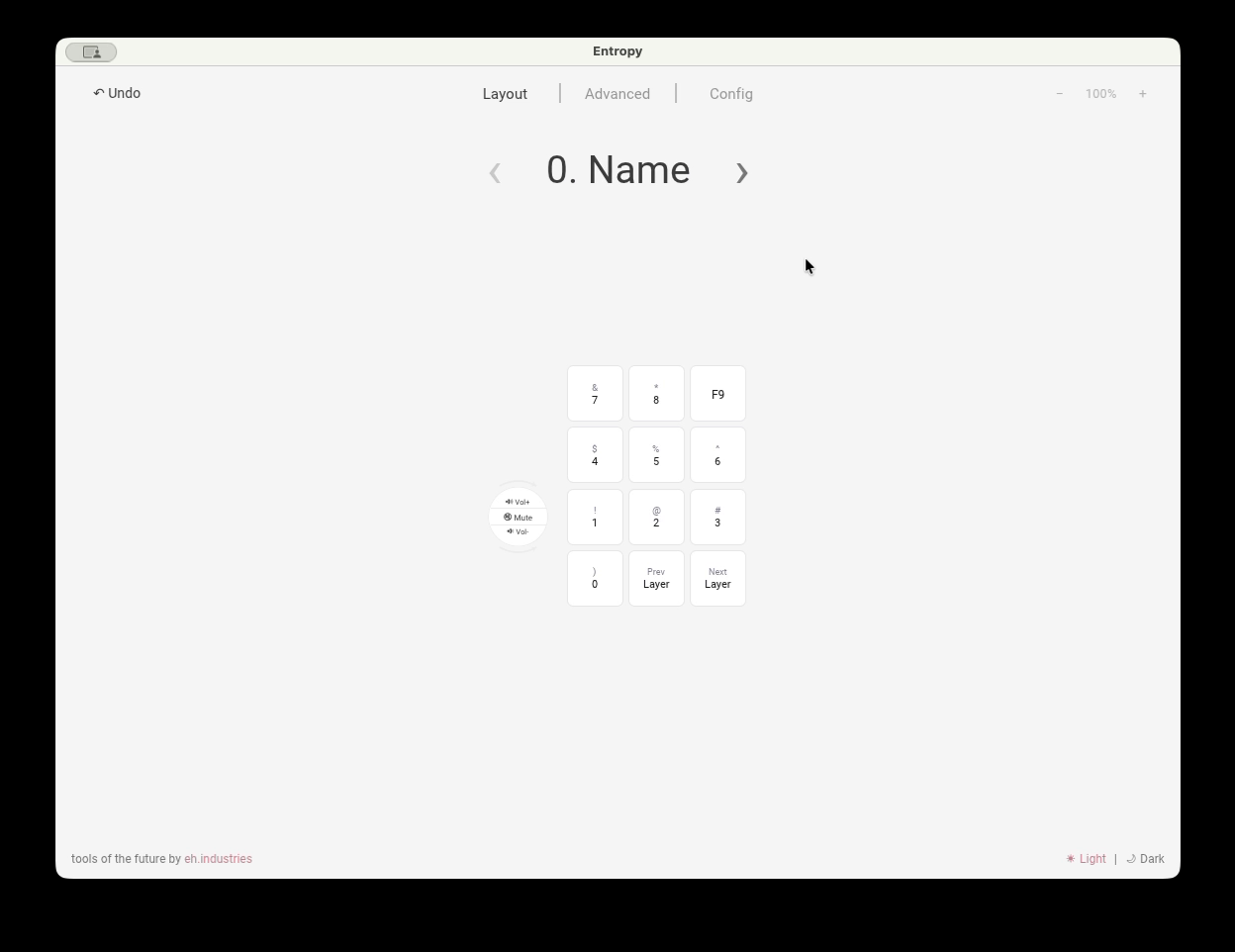
To rename a layer, click its name and enter up to 12 characters. Press Enter or click outside the field to save, or press Esc to cancel
Configure the encoder
Open Config → Encoders and enable Encoder 1
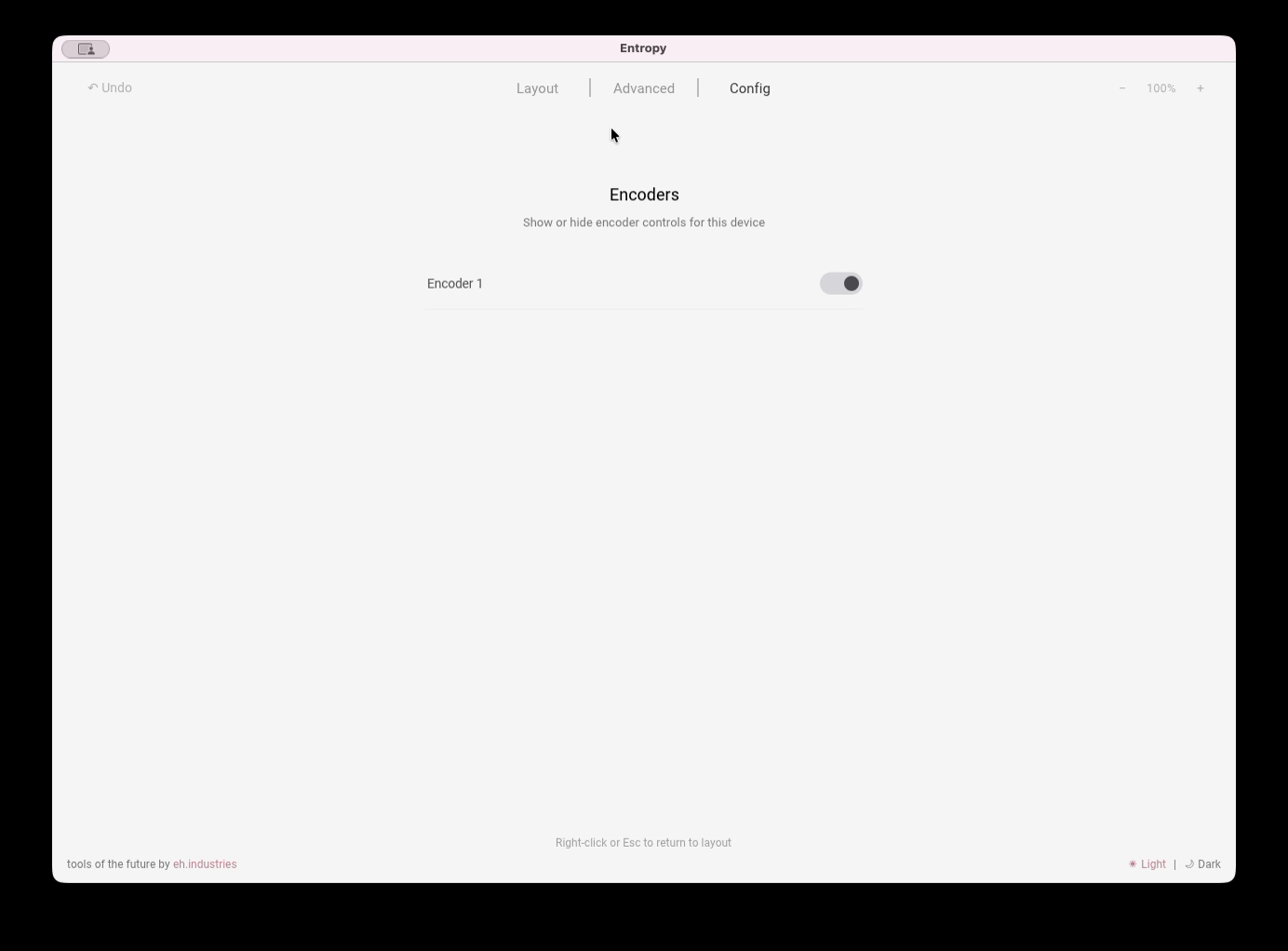
- Encoder 1 — shows or hides the encoder zones on the layout; the toggle does not disable the physical encoder or remove its assignments
Return to the Layout tab and click the required encoder zone
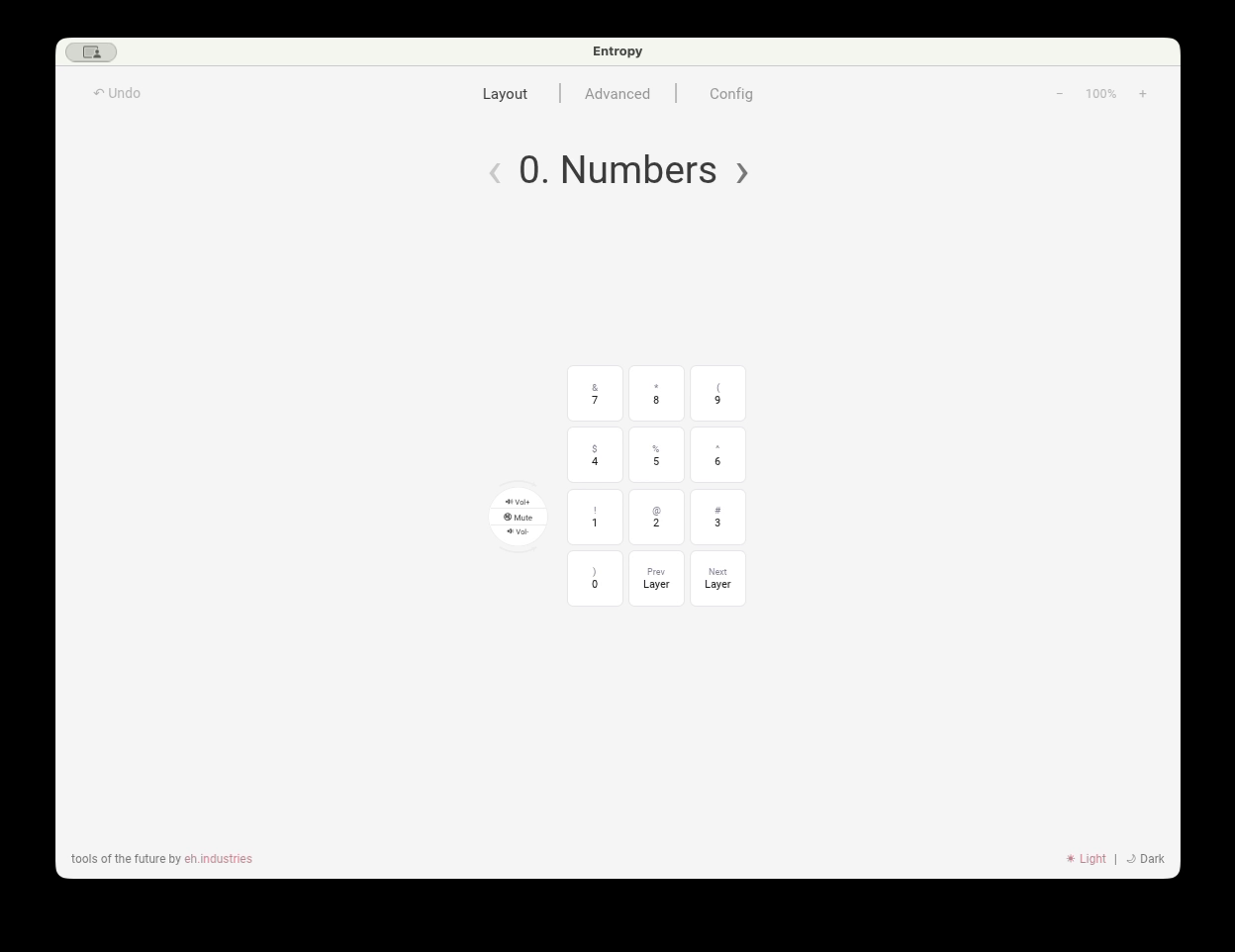
- Upper zone — the action for turning the encoder clockwise
- Center zone — the action for pressing the encoder
- Lower zone — the action for turning the encoder counterclockwise
In the screenshot, these zones are assigned Volume Up, Mute, and Volume Down. Encoder assignments are configured separately for each layer
Configure RGB lighting
Open Config → RGB
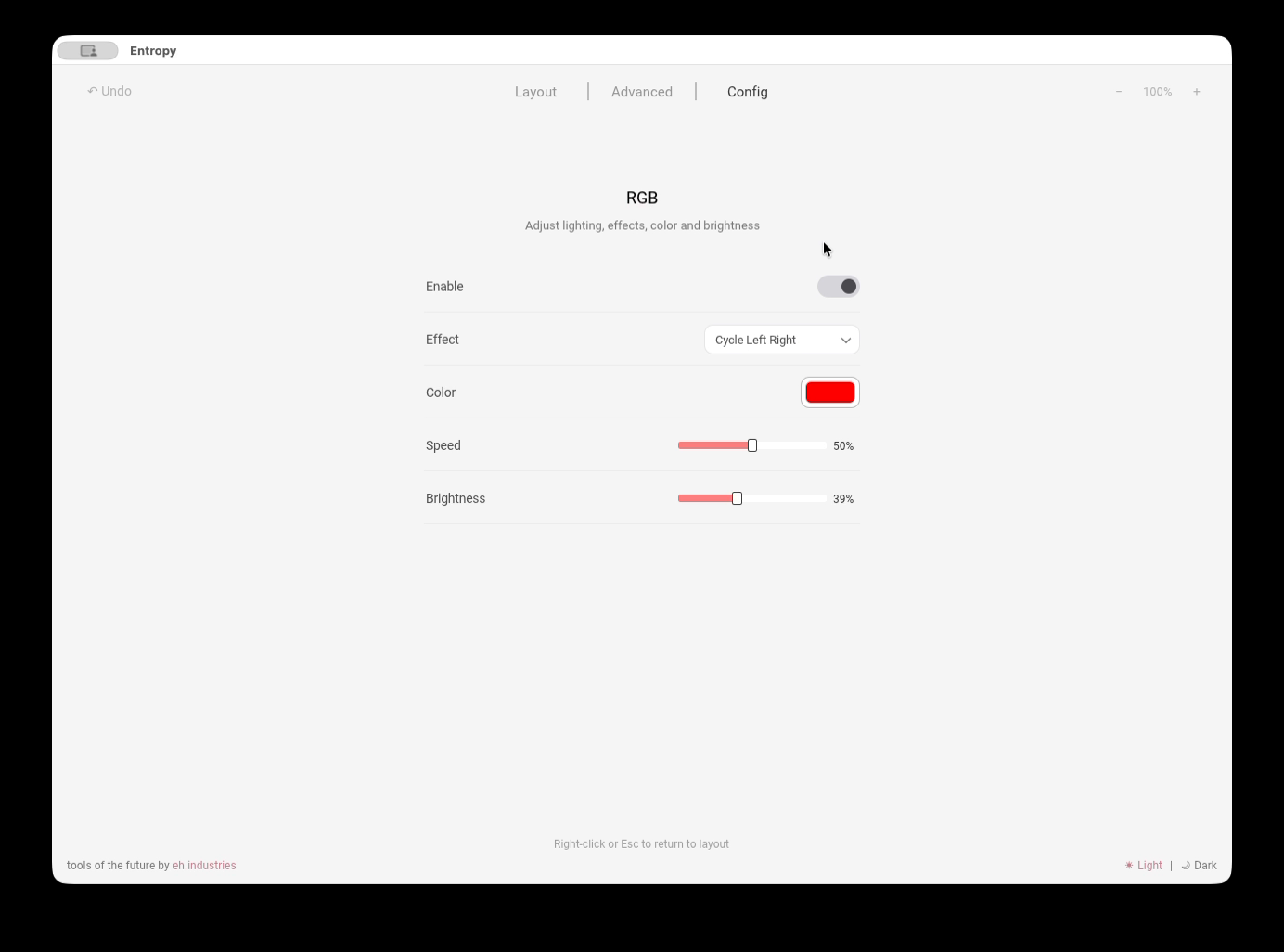
- Enable — turns RGB lighting on or off
- Effect — selects a static mode or animation
- Color — sets the color for modes that support manual color selection
- Speed — adjusts the animation speed of the selected effect
- Brightness — adjusts overall RGB lighting brightness
Macropad v1 and v2 do not have RGB lighting
Configure the lighting timeout
Open Config → Layer LEDs
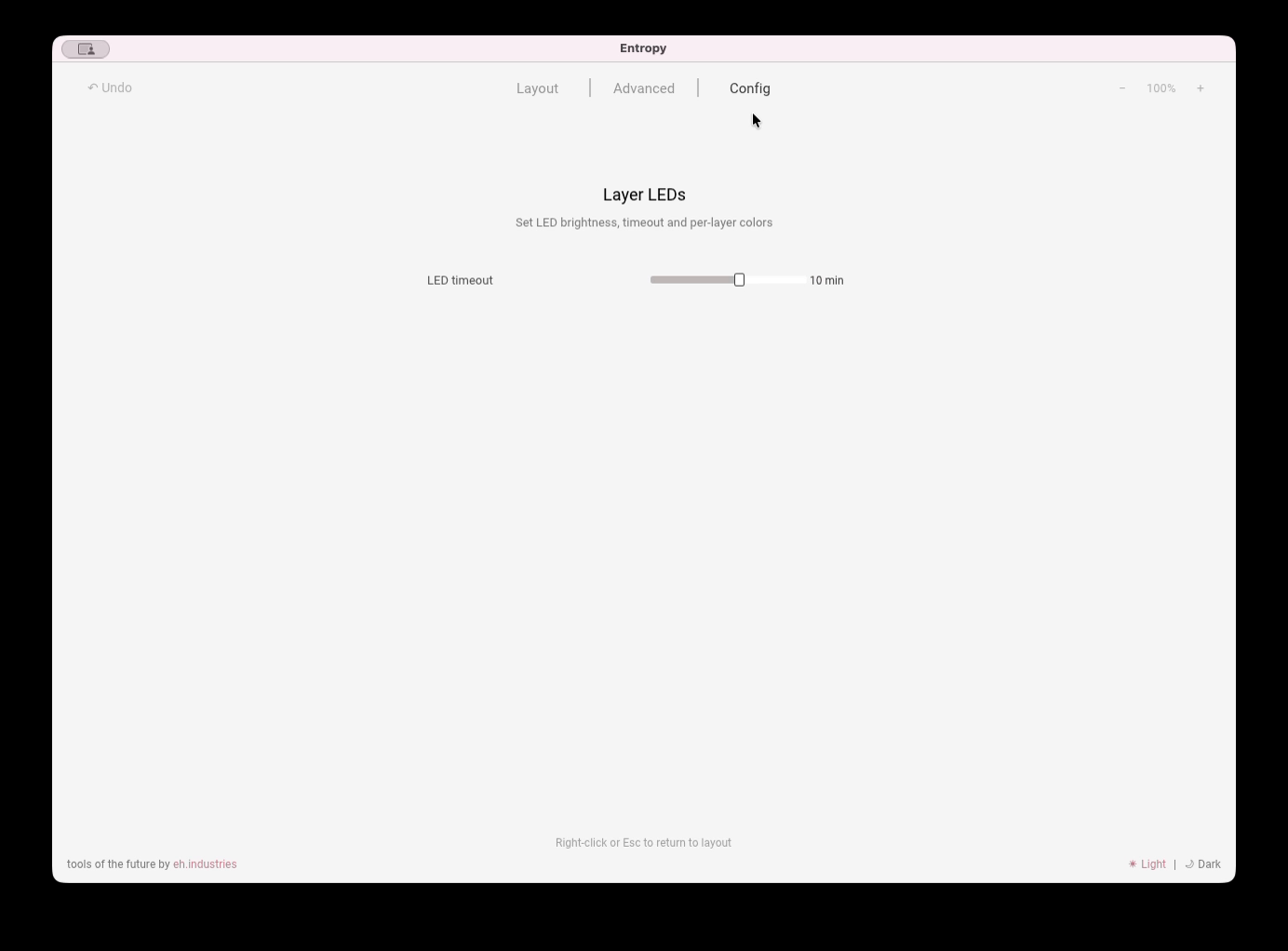
- LED timeout — the idle time before the lighting turns off; a value of zero disables the timeout
Configure the main display screen
Open Config → Display → Main screen
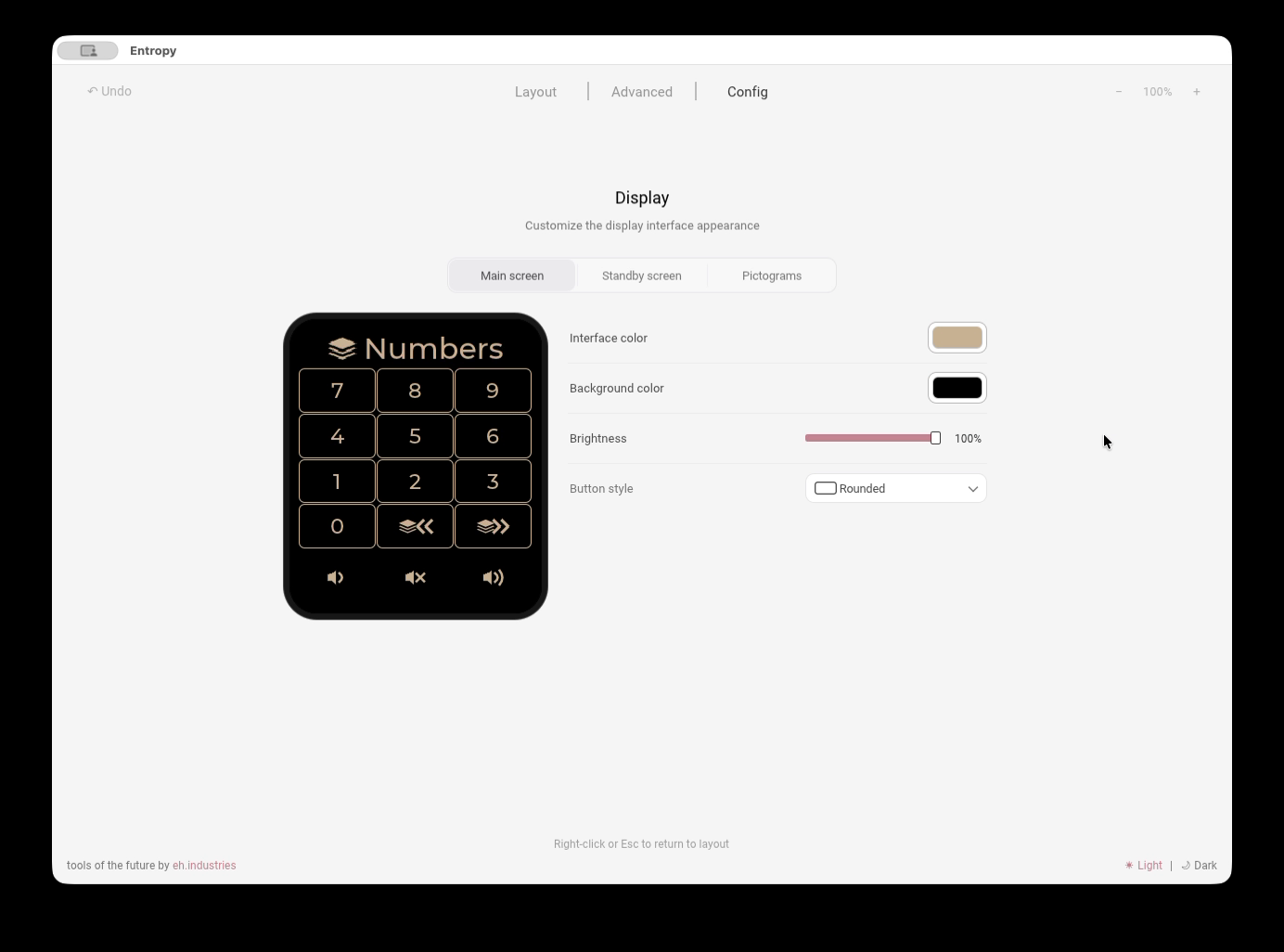
- Interface color — the color of labels, key outlines, and pictograms on the main screen
- Background color — the background color of the main screen
- Brightness — overall display brightness in the main mode
- Button style — the shape of the keys on the macropad display
Configure the standby screen
Open Config → Display → Standby screen
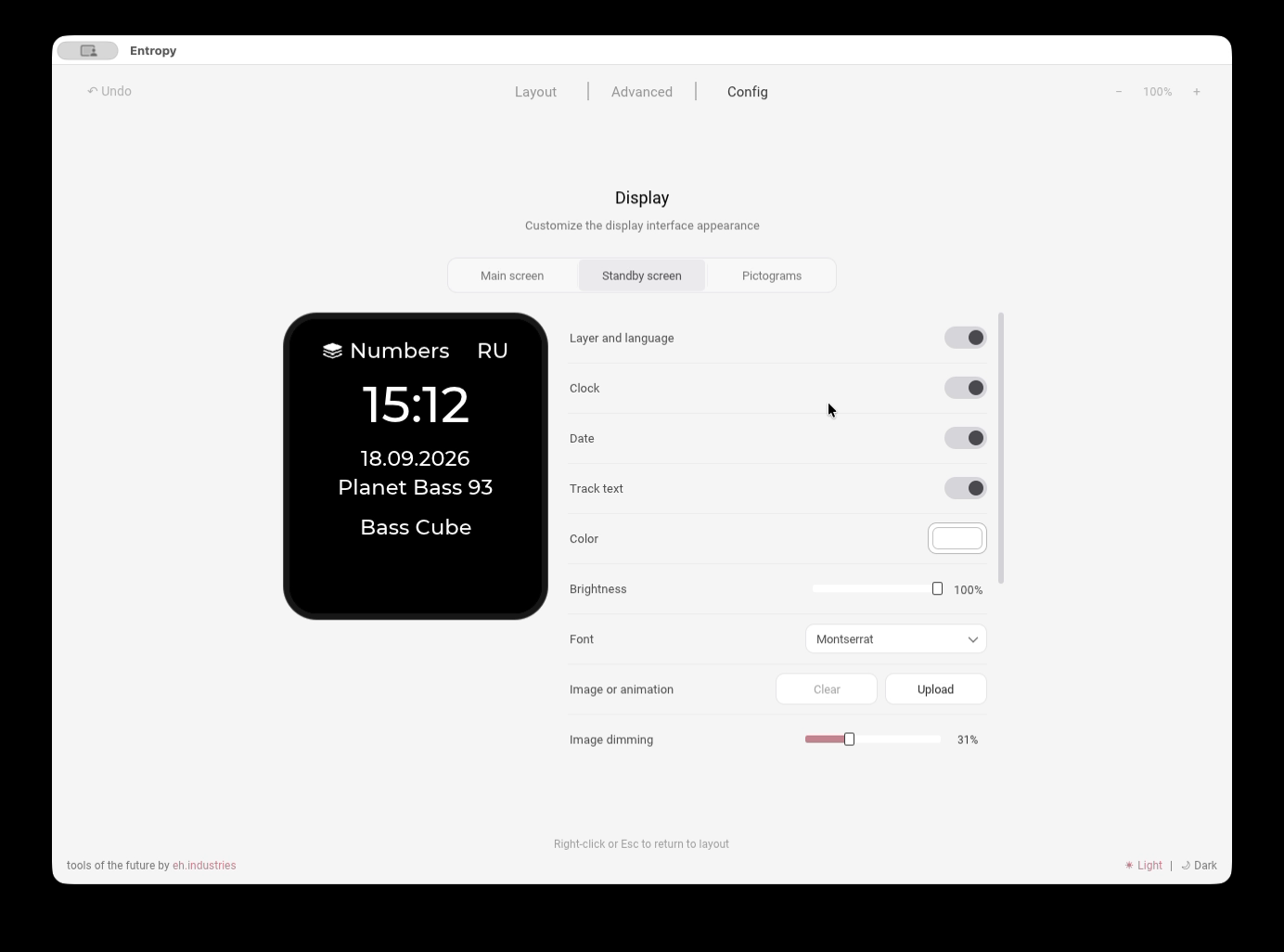
- Layer and language — shows the current layer name and operating-system input language
- Clock — shows the time supplied by Entropy
- Date — shows the current date supplied by Entropy
- Track text — shows the track title and artist; long text scrolls across the screen
- Color — the shared color of text and pictograms on the standby screen
- Brightness — overall brightness of the standby screen, including its background and text
- Font — the shared font for the layer name, language, clock, date, and track text
- Image or animation — uploads an image or GIF for the standby background; Clear removes the uploaded background
- Image dimming — fades the uploaded image: 0% keeps its original brightness and 100% hides it
Scroll down to open the remaining settings
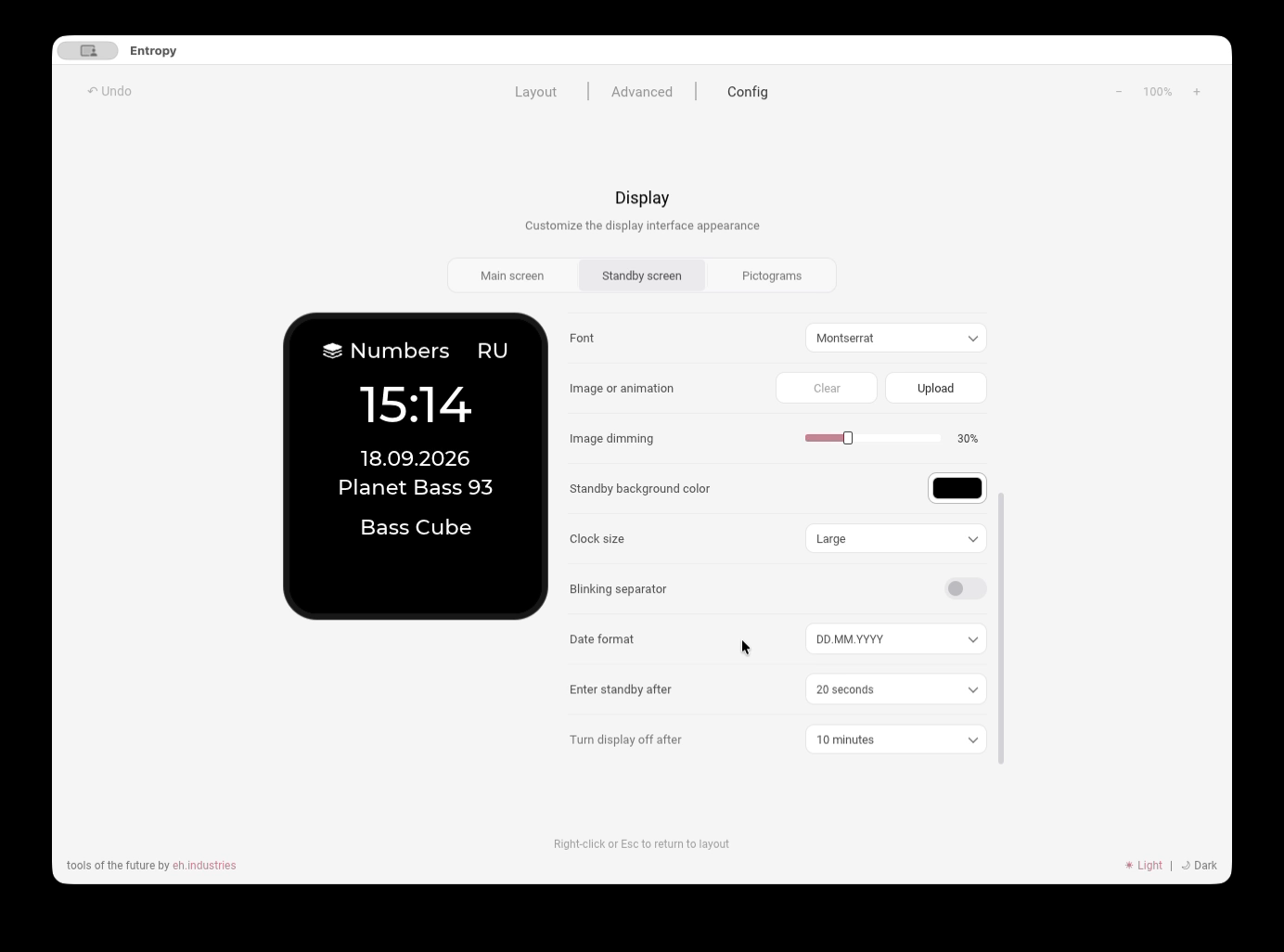
- Standby background color — the color behind the image and in its transparent areas
- Clock size — changes the size of the clock digits without resizing the other labels
- Blinking separator — enables or disables the blinking colon in the clock
- Date format — sets the order of the day, month, and year
- Enter standby after — the idle time before the standby screen appears
- Turn display off after — the idle time before the display turns off completely
The clock, date, input language, and track information update through Live Features while Entropy is running in the background
Configure pictograms
Open Config → Display → Pictograms
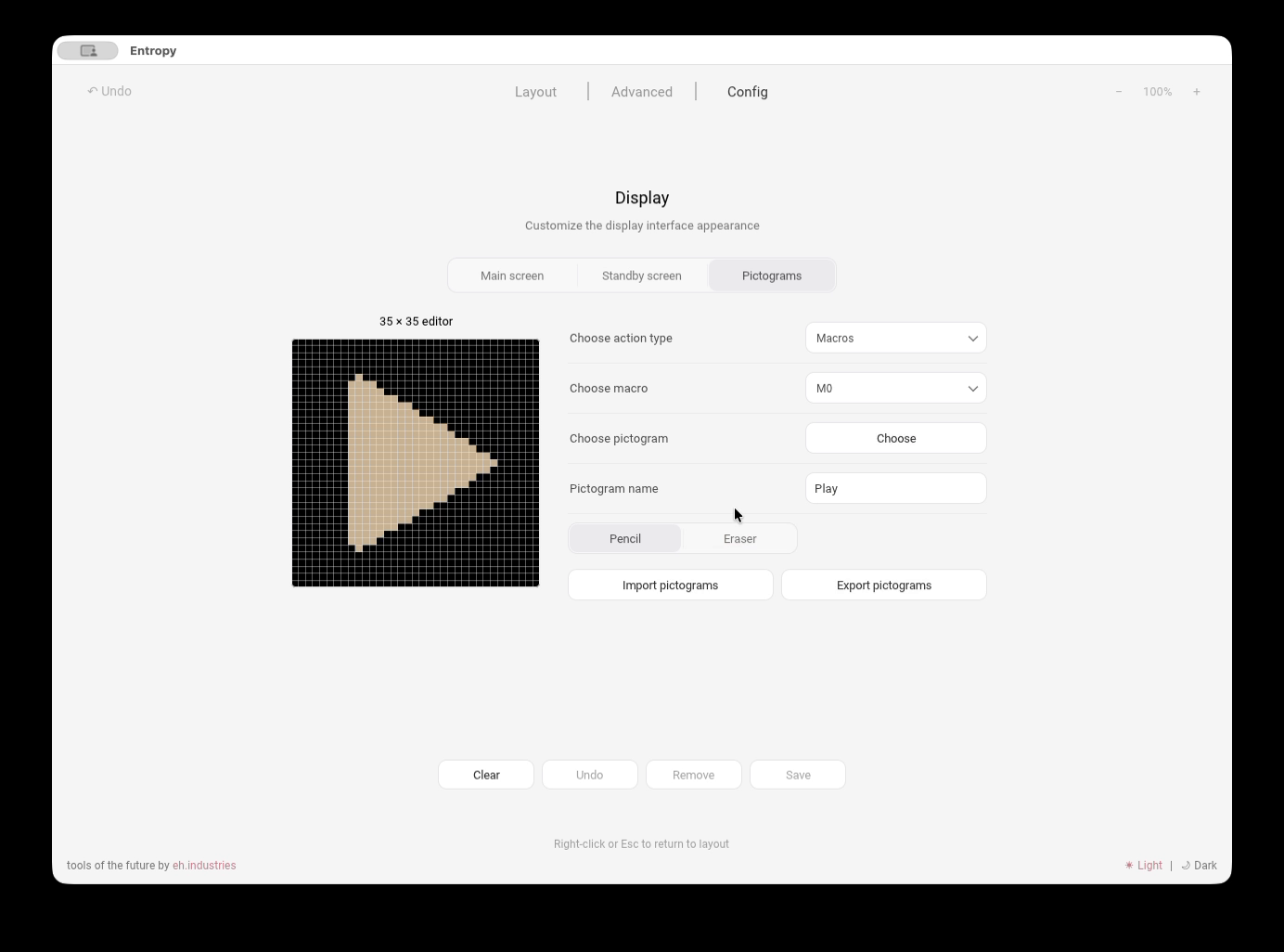
- Choose action type — selects Macros or Tap Dance
- Choose macro or Choose Tap Dance — selects the slot that receives the pictogram
- Choose pictogram — opens the library of built-in and saved pictograms
- Pictogram name — the custom pictogram name in the local library
- 35 × 35 editor — creates a monochrome 35 × 35 pixel pictogram
- Pencil and Eraser — add or remove pixels
- Import pictograms and Export pictograms — restore or back up the local library as JSON
- Clear — clears the editor
- Undo — reverses the latest edit
- Remove — removes the selected custom pictogram from the local library
- Save — saves the pictogram to the local library and immediately assigns it to the selected Macro or Tap Dance slot
Use Choose to assign a different built-in or saved pictogram
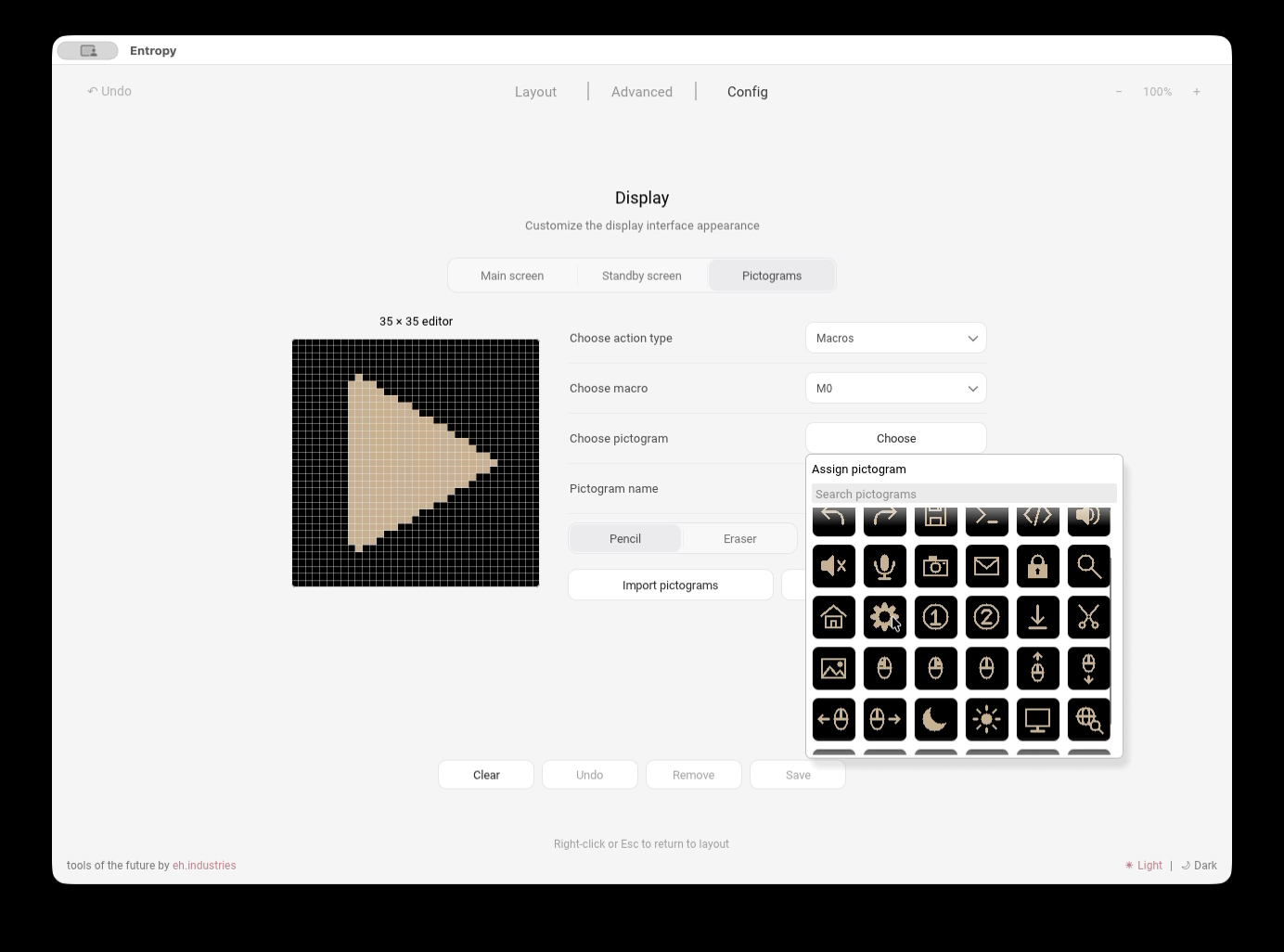
- Search pictograms — filters built-in and saved pictograms by name
- No pictogram — removes the assignment from the selected Macro or Tap Dance slot
- Pictogram tiles — immediately assign the selected pictogram to that slot
Configure Live Features
Open Config → Live Features
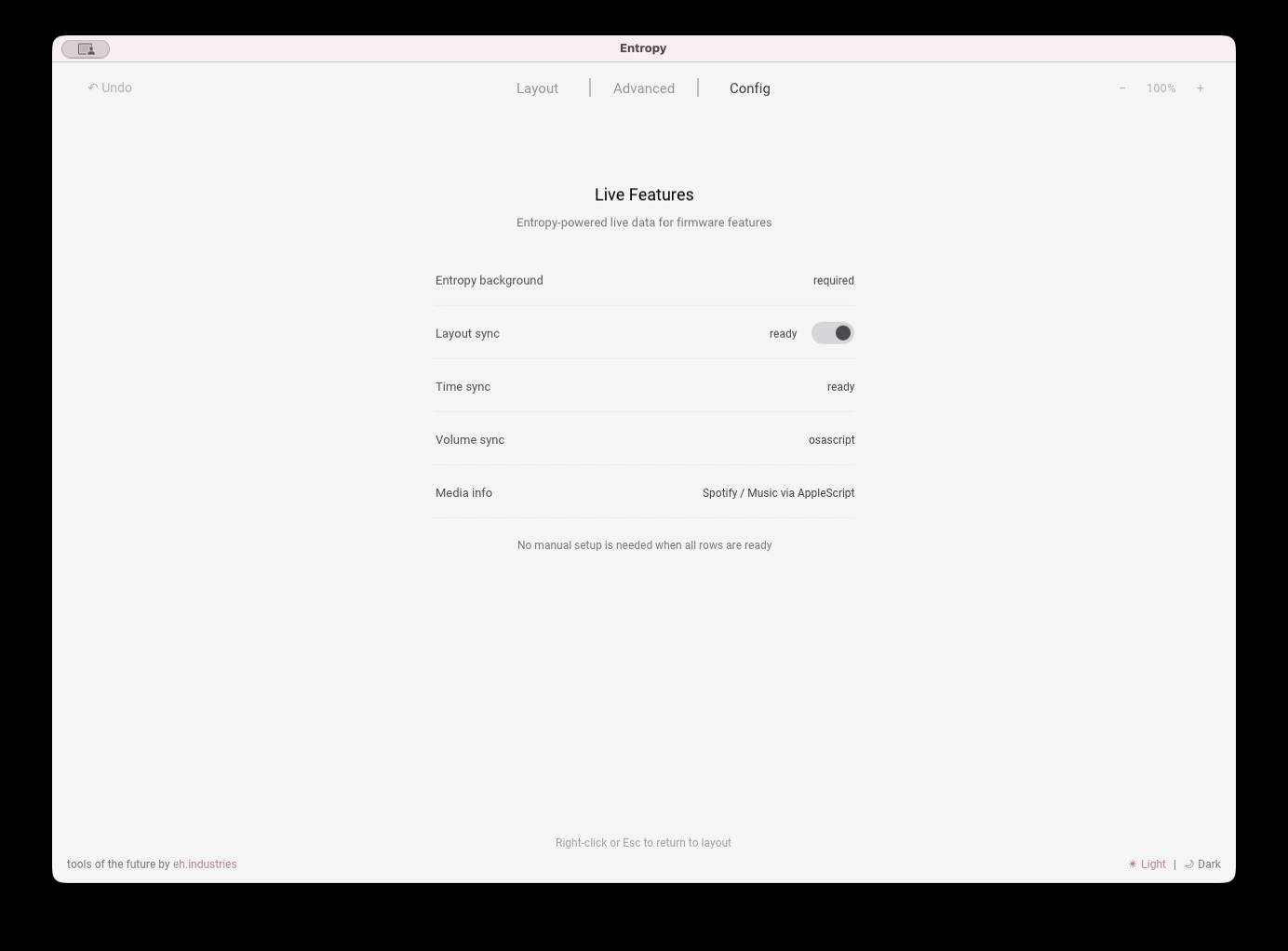
- Entropy background — indicates whether the application must keep running to provide live data
- Layout sync — sends the active operating-system input language to the firmware; the toggle enables or disables the feature
- Time sync — sends local system time to the macropad
- Volume sync — sends the current system volume; the data source appears on the right
- Media info — sends the track title and artist; the active media-player integration appears on the right
- Statuses on the right — show whether each feature is ready or which integration is used; values depend on the operating system
No additional manual setup is needed when all required rows are ready
Firmware update
Firmware files and update instructions are available here
Care and maintenance
- Periodically clean the case from dust and dirt with a dry or slightly damp cloth
Support
The keypad comes with a 3-year warranty and service support.
If you have any questions about setup, firmware, or operation, please contact the Ergohaven Telegram group or knowledge base